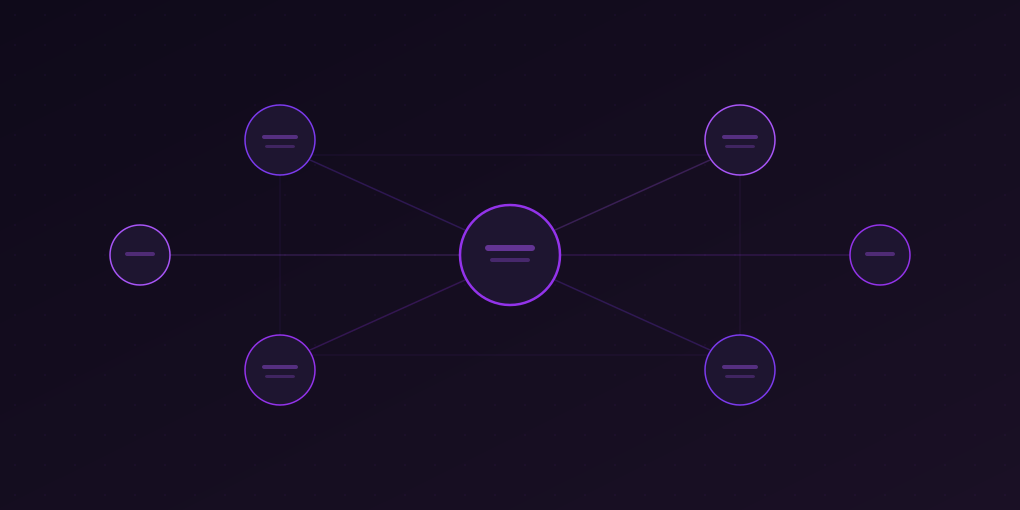
How to Build a Personal Knowledge Base with AI Summaries
Most people consume tons of content but retain almost nothing. Learn how to build a second brain by combining AI summarization with note-taking tools for lasting knowledge.
You read an incredible article last week. It changed how you think about a topic you care about. You remember the feeling of insight, the moment when a new idea clicked into place.
But right now, sitting here, you cannot recall a single specific detail. Not the framework. Not the data point that surprised you. Not the author’s name.
This is not a memory problem. This is a systems problem. The average knowledge worker consumes over 100,000 words per day across articles, reports, emails, videos, and social media. Without a deliberate system for capturing, processing, and connecting ideas, almost all of it evaporates within 48 hours. The Ebbinghaus forgetting curve is merciless: you lose roughly 70% of new information within 24 hours unless you actively reinforce it.
The solution is not to read less. It is to build a personal knowledge base — a structured, searchable, interconnected collection of ideas extracted from everything you consume. Think of it as a second brain that never forgets.
And with AI summarization tools like 5MinRead, building one has never been more practical.
The Problem: Content Overload Without Knowledge Growth
Before diving into the solution, let us quantify the problem.
The Consumption-Retention Gap
A 2025 Microsoft study found that knowledge workers spend an average of 2.5 hours per day reading work-related content. That is roughly 12.5 hours per week, or 650 hours per year. Yet when surveyed about specific articles they read in the past month, most could recall fewer than 5% of the key insights.
The issue is not laziness. It is that reading without processing is essentially entertainment — it feels productive, but produces no durable output. You experience ideas in the moment, nod along, maybe share the article, then move on. The knowledge lives in the article, not in your head.
Why Traditional Note-Taking Fails
Many people try to solve this with note-taking. They highlight passages, copy quotes, or write brief summaries. But traditional note-taking has three critical weaknesses:
It is slow. Manually summarizing a 3,000-word article takes 15 to 20 minutes. When you are processing multiple articles per day, this is unsustainable.
It is inconsistent. Some days you take detailed notes. Other days you highlight a few sentences. Without a consistent format, your notes become a disorganized mess that is hard to search or review.
It is isolated. Notes from one article sit in one document. Notes from another sit elsewhere. The connections between ideas — which is where real insight lives — are invisible.
A personal knowledge base solves all three problems.
What Is a Personal Knowledge Base?
A personal knowledge base (PKB) is a structured repository of knowledge that you have personally processed and organized. Unlike a bookmark folder or a reading list, a PKB contains your understanding of ideas, not just links to where those ideas live.
The concept draws from several intellectual traditions:
The Zettelkasten Method
Developed by German sociologist Niklas Luhmann, the Zettelkasten (German for “slip box”) is a note-taking method that emphasizes atomic notes and connections between them. Luhmann wrote over 70 books and 400 academic articles using this system, which consisted of roughly 90,000 handwritten index cards.
The key principles are:
- Atomicity: Each note contains one idea, expressed in your own words
- Connectivity: Notes link to related notes, forming a network of ideas
- Permanence: Notes are written to be useful months or years later
- Emergence: New insights emerge from unexpected connections between notes
Progressive Summarization
Coined by productivity expert Tiago Forte, progressive summarization is a technique where you layer highlights and summaries over time. Instead of processing everything on first read, you:
- Save the full text (Layer 1)
- Bold the key passages (Layer 2)
- Highlight the most critical points within the bolded text (Layer 3)
- Write a brief executive summary in your own words (Layer 4)
- Remix and connect ideas across sources (Layer 5)
Each layer takes less time than the previous one and makes the note more immediately useful for future reference.
The Modern Second Brain
Today, tools like Notion, Obsidian, Roam Research, and Google Docs make it possible to build digital knowledge bases that are searchable, linkable, and always accessible. The missing piece has always been the initial processing step — transforming raw content into structured knowledge efficiently.
This is where AI summarization changes everything.
The 5MinRead Knowledge Base Workflow
Here is a complete, practical workflow for building a personal knowledge base using 5MinRead and your preferred note-taking tool. This system works whether you use Notion, Obsidian, Google Docs, or any other tool.
Step 1: Read and Summarize
When you encounter an article, report, or video worth remembering, use 5MinRead to generate a structured summary.
Choose the right summarization preset for your purpose:
- Use Standard or Quick for general articles you want to capture the gist of
- Use Detailed for technical content where nuance matters
- Use Takeaways for articles where you need actionable insights
- Use Academic for research papers and scholarly content
- Use Study Guide for content you need to deeply learn and retain
- Use Critical Review for opinion pieces where you want a balanced analysis
- Use Flash Cards from the marketplace for content you plan to memorize
The preset you choose shapes the summary output, so think about your future self: how will you use this knowledge later?
Adjust the summary length based on content density:
For a typical news article, a Short summary captures what you need. For a dense research paper or in-depth analysis, go with Full or Maximum to preserve the important details and reasoning.
Step 2: Highlight Key Points
After the summary is generated, use 5MinRead’s auto-highlight feature to identify the most important points. Auto-highlight uses AI to pick out key findings, data points, insights, and actionable takeaways from the original text.
This serves two purposes:
- Immediate review: The highlights draw your attention to what matters most, reinforcing your memory while the content is fresh
- Future scanning: When you revisit this content weeks later, the highlights let you re-absorb the key points in seconds
You can also manually highlight additional passages that are personally relevant — a data point that relates to your current project, a quote that resonates, a methodology you want to try.
Step 3: Copy to Your Notes
This is where the magic happens. Use 5MinRead’s Rich Text Copy feature to transfer the summary into your note-taking tool with formatting intact. The summary lands in your notes as clean, structured text with headers, bullet points, and emphasis preserved.
For Notion users:
- Create a database called “Knowledge Base” with properties for Topic, Source URL, Date Read, and Tags
- After summarizing, use Rich Text Copy to paste the summary into a new database entry
- Add your own commentary below the summary — what surprised you, what you disagree with, how this connects to other things you know
For Obsidian users:
- Create a folder structure by topic area (e.g., /AI, /Productivity, /Finance)
- Paste the summary into a new note with a descriptive title
- Use double-bracket links [[like this]] to connect the note to related concepts and other notes
- Add tags for easy filtering (#insight, #methodology, #data-point)
For Google Docs users:
- Maintain a running document per topic or project
- Paste summaries under dated headers
- Use the built-in outline feature for navigation
- Add comments to flag ideas for future follow-up
Step 4: Add Your Own Thinking
This is the step most people skip, and it is the most important one. After pasting the summary, spend two to three minutes writing your own reactions:
- What is the key insight? State the main idea in one sentence, in your own words. If you cannot do this, you have not understood it yet.
- What surprised you? Surprises indicate gaps in your existing mental model. These are learning opportunities.
- What do you disagree with? Disagreement forces you to articulate your own position, which deepens understanding.
- How does this connect? Link this idea to other notes, projects, or questions you are exploring. These connections are where original thinking emerges.
This step transforms passive consumption into active learning. Writing your reactions in your own words is the single most effective way to move information from short-term to long-term memory.
Step 5: Organize by Topic
As your knowledge base grows, organization becomes critical. There are two main approaches:
Hierarchical (folder-based):
Knowledge Base/
├── AI & Machine Learning/
│   ├── Large Language Models/
│   ├── AI in Production/
│   └── AI Ethics/
├── Product Management/
│   ├── User Research/
│   ├── Prioritization Frameworks/
│   └── Metrics & Analytics/
└── Personal Finance/
    ├── Index Investing/
    ├── Tax Strategy/
    └── Real Estate/
Network (tag and link-based):
Instead of rigid folders, use tags and bidirectional links to let structure emerge organically. A note about “AI-powered user research” might link to both your AI folder and your User Research folder, creating useful cross-pollination.
In 5MinRead, you can use folders to organize your summaries by topic, creating a parallel structure that mirrors your note-taking tool. This makes it easy to find the original summary when you want to revisit the full context.
Building Expertise: The Knowledge Funnel
One of the most powerful applications of a personal knowledge base is systematically building expertise in a new domain. Here is how to use the knowledge funnel approach:
Phase 1: Survey (Week 1-2)
Read 10 to 15 overview articles about the domain. Use 5MinRead’s Quick or TL;DR + So What? preset to rapidly capture the landscape. Your goal is not depth — it is breadth. You want to understand:
- What are the key concepts and terminology?
- Who are the important thinkers and practitioners?
- What are the major debates and open questions?
- What sub-topics exist within this domain?
After this phase, your knowledge base should have a clear topic structure and a vocabulary list for the domain.
Phase 2: Deep Dive (Week 3-6)
Select three to five sub-topics that are most relevant to your goals. For each one, read five to eight in-depth articles, papers, or book chapters. Use the Detailed or Academic preset for richer summaries.
This is where 5MinRead’s Research Mode becomes invaluable. Create a Research Project for your domain, add sources as you read them, and use the synthesis feature to identify patterns across multiple articles. Research Mode helps you see connections that are invisible when reading articles in isolation.
Key activities in this phase:
- Write comparison notes that contrast different authors’ perspectives on the same topic
- Create “concept notes” that define key ideas in your own words, drawing from multiple sources
- Identify contradictions and unresolved questions — these are the frontier of the field
Phase 3: Synthesis (Week 7+)
With a substantial knowledge base, you can now generate original insights by connecting ideas across sources. This is where the Zettelkasten approach pays off: browse your notes looking for unexpected connections between different topics.
Use 5MinRead’s Research Mode synthesis feature to automatically identify themes and patterns across your collected sources. Then write synthesis notes that combine insights from multiple sources into a coherent perspective that is uniquely yours.
Example synthesis questions:
- “Three articles discuss different approaches to X. What are the trade-offs?”
- “Author A and Author B disagree about Y. Who has stronger evidence?”
- “Concept P from Domain 1 seems analogous to Concept Q from Domain 2. What can I learn by comparing them?”
Practical Tips and Best Practices
Tip 1: Process the Same Day
The forgetting curve drops steeply after 24 hours. When you read something worth remembering, summarize and process it the same day. With 5MinRead, this takes about five minutes per article — summarize, highlight, copy, add your reaction.
Tip 2: Use Consistent Templates
Create a standard template for your knowledge base entries:
## [Article Title]
**Source:** [URL]
**Date Read:** [Date]
**Summary Preset Used:** [Preset name]

### AI Summary
[Paste from 5MinRead with Rich Text Copy]

### Key Highlights
[Paste highlighted passages]

### My Reactions
- Key insight:
- Surprised by:
- Disagree with:
- Connects to:

### Tags
[topic tags]
Tip 3: Review Weekly
Set aside 30 minutes each week to review recent additions to your knowledge base. This is not re-reading — it is scanning your notes and reactions to reinforce the connections. During review, you will often notice connections between recent notes and older ones. Add links when you spot them.
Tip 4: Apply the Two-Minute Rule
If processing a source will take less than two minutes (Quick preset, brief reaction, quick categorization), do it immediately. If it requires deeper processing (Detailed preset, extensive reactions, multiple connections), schedule it for your daily processing block.
Tip 5: Let 5MinRead Do the Heavy Lifting
You do not need to manually summarize everything. The workflow is:
- 5MinRead handles extraction and summarization (the mechanical work)
- You handle interpretation and connection (the intellectual work)
This division of labor lets you process five to ten times more content than manual note-taking while maintaining quality. Your energy goes where it matters most: thinking, not transcribing.
Tip 6: Use Multiple Presets for Important Content
For truly important content, run multiple summarization presets:
- First, use Detailed for a comprehensive summary
- Then use Takeaways to extract actionable items
- Finally, use Critical Review for a balanced analysis
This gives you three different lenses on the same content, each revealing different aspects.
Tip 7: Build in Public
Share your knowledge base notes (or polished versions of them) publicly — in a blog, newsletter, or social media. Teaching is the most effective form of learning. When you know you will share a note, you process it more carefully and write more clearly.
Use 5MinRead’s Social Thread preset to quickly transform key insights into shareable format.
Common Mistakes to Avoid
Mistake 1: Collecting Without Processing
Saving summaries without adding your own thinking is just a fancier version of bookmark hoarding. The summary is an input to your thinking, not the output. Always add your reactions.
Mistake 2: Over-Organizing Too Early
Do not spend hours designing the perfect folder structure before you have any notes. Start with a flat list and let structure emerge from the content. You will reorganize as you understand the domain better, and that is fine.
Mistake 3: Trying to Capture Everything
Not every article deserves a knowledge base entry. Develop a filter: if the content is purely informational (news, updates) with no lasting insight, a Quick summary for your own reference is enough. Reserve the full processing workflow for content that changes how you think.
Mistake 4: Never Revisiting
A knowledge base that is never reviewed is just a fancy archive. The value comes from revisiting notes, discovering connections, and building on past insights. Schedule regular review sessions.
Mistake 5: Keeping Knowledge Silos
If your AI summaries live in 5MinRead, your notes live in Obsidian, and your tasks live in Todoist, the connections between them are invisible. Use Rich Text Copy to bring everything into one primary system. 5MinRead is the processing engine; your note-taking tool is the permanent home.
Real-World Example: Learning Machine Learning in 90 Days
Here is how a product manager used this system to build working knowledge of machine learning in 90 days:
Week 1-2: Survey phase. Read 12 overview articles using Quick preset. Created a concept map of key terms (supervised learning, neural networks, transformers, etc.) in Obsidian. Identified sub-topics: NLP, computer vision, MLOps, ethics.
Week 3-4: Deep dive into NLP. Read 8 articles and 2 research papers using Detailed and Academic presets. Created a Research Project in 5MinRead, adding all sources. Used synthesis to identify that most NLP advances since 2020 followed a similar pattern of scaling.
Week 5-6: Deep dive into MLOps. Read 6 articles and 3 case studies. Connected MLOps concepts to her existing knowledge of DevOps (from her previous role), creating bridging notes that made the new domain feel familiar.
Week 7-8: Synthesis. Wrote three original synthesis notes: “Why NLP Scaling Laws Matter for Product Decisions,” “The MLOps Maturity Model Through a PM Lens,” and “AI Ethics Frameworks Compared.” Each note drew from five to eight sources in her knowledge base.
Week 9-12: Application. Used her knowledge base to write an internal strategy document, lead a technical discussion with engineers, and evaluate three ML vendor proposals. Colleagues assumed she had years of ML experience.
Total time invested: roughly 45 minutes per day (reading plus processing). Total knowledge base entries: 47 processed sources, 12 synthesis notes, and approximately 200 bidirectional links.
Tools That Work Well with 5MinRead
Obsidian (Free)
Best for users who want local-first storage, bidirectional linking, and a graph view of their knowledge network. 5MinRead’s Rich Text Copy pastes cleanly into Obsidian’s markdown editor. The combination of 5MinRead folders and Obsidian’s folder structure creates a powerful dual system.
Notion (Free tier available)
Best for users who want databases, team collaboration, and polished presentation. Create a “Reading Database” with properties for status, topic, and source type. Paste summaries directly into database entries.
Google Docs (Free)
Best for users who want simplicity and sharing. Maintain running documents by topic and use the built-in outline for navigation. Google’s search makes it easy to find specific notes later.
Logseq (Free)
Best for users who prefer an outliner format with bidirectional links. Similar to Obsidian but with a daily-journal-first workflow that pairs well with daily content processing.
Apple Notes (Free)
Best for users in the Apple ecosystem who want zero friction. Limited linking capabilities, but the search is excellent and the barrier to entry is zero.
Getting Started Today
You do not need a perfect system to start. You need a good-enough system that you will actually use. Here is your starting checklist:
- Install 5MinRead if you have not already. The free plan gives you everything you need to start.
- Choose your note-taking tool. If you are not sure, start with whatever you already use. You can migrate later.
- Create a “Knowledge Base” folder in your note-taking tool with three to five topic categories that match your interests.
- Process your next three articles using the workflow above: summarize with 5MinRead, highlight key points, copy to notes, add your reactions, and organize by topic.
- Set a daily reminder to process at least one piece of content. Consistency matters more than volume.
- Schedule a weekly review (30 minutes) to scan recent notes and add connections.
After two weeks, you will have 10 to 14 processed sources in your knowledge base. After a month, 30 or more. That is when the compound effect kicks in: you start seeing patterns, making connections, and having insights that are impossible when knowledge stays trapped in individual articles.
Your reading time is already significant. The question is whether it produces lasting knowledge or just passes through you like water through a sieve. A personal knowledge base, powered by AI summarization, ensures that every hour you spend reading compounds into expertise.
Stop consuming. Start building.