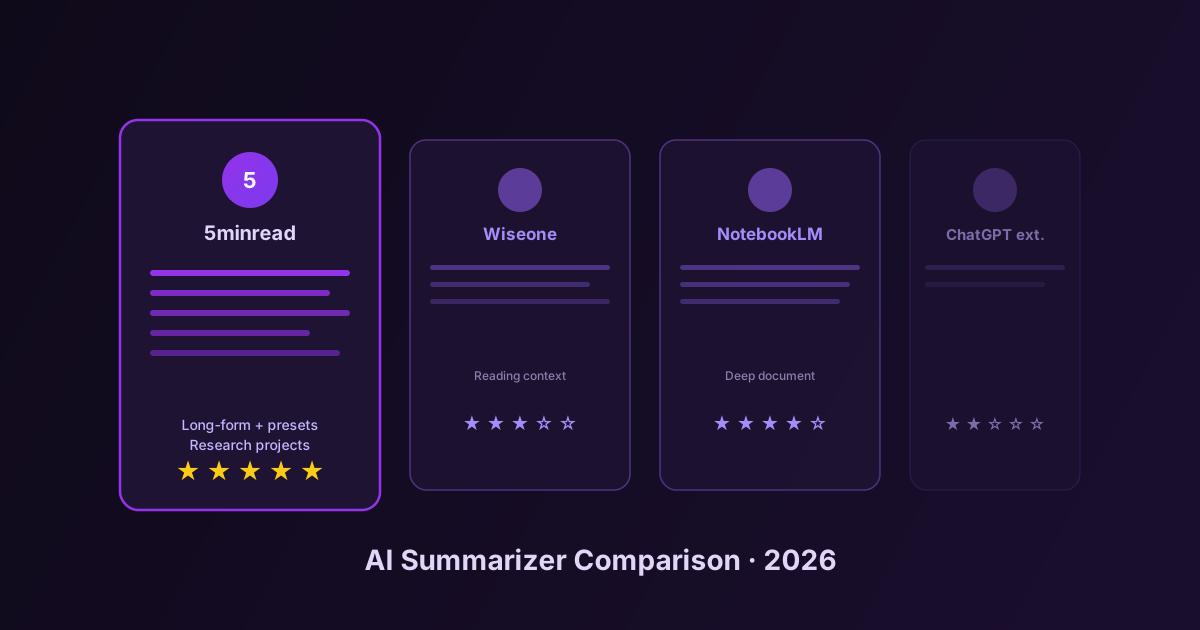
The Best AI Summarizer in 2026: An Honest Comparison
Side-by-side comparison of the top AI summarizer tools in 2026 — 5minread, Wiseone, Glasp, Recall, NotebookLM, and ChatGPT extensions. Strengths, weaknesses, pricing, and who each one is actually for.
If you searched for “best AI summarizer 2026”, you have already seen the listicles. Ten tools, all rated 5/5, all “the best”, all written by someone who clearly did not use them. This article is different. We actually used each of these tools on the same set of articles, PDFs, and YouTube videos for two weeks, and we are going to tell you what they are genuinely good at — and what they are not.
The point is not to crown a winner. The point is to help you pick the tool that fits how you actually read. A research analyst, a student, and a casual reader need three different things from a summarizer, and any review that pretends one tool serves all three is wasting your time.
The Lineup
We tested six tools, chosen because they represent the different philosophies in this category:
- 5minread — A Chrome extension focused on long-form content (articles, PDFs, YouTube), with research projects and custom presets
- Wiseone — A reading companion that adds context layers on top of articles
- Glasp — A social highlighter that doubles as an AI summarizer
- Recall — A knowledge management tool with summarization as one of many features
- NotebookLM — Google’s research notebook, document-centric, no browser integration
- ChatGPT browser extensions — Generic wrappers (we tested the most popular three)
Each tool was tested on the same five inputs: a 4,000-word Stratechery article, a 38-page academic PDF, a 47-minute YouTube tech talk, a Substack newsletter, and a 12,000-word documentation page.
What We Measured
Summarization quality is subjective, but these dimensions are not:
- Length control — Can you ask for a 200-word summary and get one?
- Format control — Can you ask for bullet points, structured output, specific sections?
- Long-content handling — Does it work on a 38-page PDF, or does it choke at 8K tokens?
- YouTube handling — Does it pull the transcript and summarize the content, or does it just describe the metadata?
- Workflow integration — Can you chain summaries into something larger, or is each summary an isolated artifact?
- Pricing transparency — Is the free tier honest or a trap?
5minread
Best for: People who read a lot of long-form content across many sources and want structured output.
Strengths:
- Handles long documents well — the 38-page PDF summarized in 45 seconds with no truncation warnings
- Excellent length control: choose Small/Medium/Full/Maximum and the output respects it
- 21 built-in presets plus custom presets — you can build a “Code Review” or “Extract Pricing Changes” preset and reuse it forever
- Research projects let you summarize 10 sources, then synthesize across them
- Auto-highlight marks the key sentences in the original after summarization, which is useful for verifying the summary did not invent things
- 15 UI languages, and you can summarize content in one language and get the output in another
Weaknesses:
- No native mobile app (it is a browser extension)
- Free tier has a daily quota — generous, but not unlimited
- Custom presets have a learning curve if you have never written a system prompt before
Pricing: Free tier with daily limits, paid plans for higher token budgets and more parallel summaries.
Wiseone
Best for: Casual readers who want context, definitions, and related articles while reading, not structured summaries.
Strengths:
- Beautiful in-article overlays for context and definitions
- Useful for non-experts reading articles on unfamiliar topics
- Quick “explain this” interaction feels natural
Weaknesses:
- Not built for long-form summarization — it is a reading enhancer, not a summarizer
- No structured output presets
- No YouTube support
- Research workflows are not the focus
Verdict: Different category. If you want context layers on articles you are reading, Wiseone is great. If you want to skip reading articles by summarizing them, this is not the right tool.
Glasp
Best for: People who want a social highlighter and are okay with summarization being a secondary feature.
Strengths:
- Best-in-class web highlighter with public profiles
- Community of highlighters means you can see what others marked on the same article
- AI summarization layered on top works for general content
Weaknesses:
- Summaries are not customizable in depth or format
- PDF support is limited
- YouTube works but the summaries felt shorter and less useful than dedicated tools
- The social/community angle is the product — if you do not want that, you are paying for features you will not use
Recall
Best for: Personal knowledge management. You want a Notion-style brain with auto-summarized inputs.
Strengths:
- Strong knowledge graph features
- Captures and links information across sources
- Good for building a long-term personal wiki
Weaknesses:
- The summarizer is a side feature, not the main product
- The browser interaction is heavier than tools focused on quick summaries
- Most useful if you commit to it as a PKM — otherwise overkill
NotebookLM
Best for: Deep document analysis when you can sit down and upload files to a desktop tool.
Strengths:
- Excellent at synthesizing across multiple uploaded documents
- Sourced answers with citations are best-in-class for trust
- Free tier is genuinely usable
- Audio overviews are unique and surprisingly good
Weaknesses:
- No browser integration — you cannot summarize the article you are currently reading without uploading it
- Not useful for fast everyday reading
- YouTube support exists but is not in your browsing flow
- Requires Google account, ties you into the Google ecosystem
Verdict: Different shape of tool. NotebookLM is a research notebook. 5minread, Glasp, and Wiseone live in your browser as you read. Both can be useful — for different parts of your day.
ChatGPT Browser Extensions
We tested the three most popular ones. None of them are bad, but they all share the same architectural ceiling: they are wrappers around a chat interface.
Strengths:
- Familiar interface if you already use ChatGPT
- Works on any page
Weaknesses:
- No persistent preset library — every summary is a fresh prompt
- Long pages get truncated at the model’s context window
- No structured output unless you remember to ask for it every time
- No research projects, no multi-source synthesis
- No auto-highlight back into the original
- YouTube summaries depend on whether the extension fetches the transcript (most do not, they describe the page metadata)
- Quality varies dramatically based on how you phrase the prompt
Verdict: If you already pay for ChatGPT and want a basic summarizer, fine. If you summarize more than a few articles a week, the lack of presets and structure becomes a real friction.
Pricing at a Glance
| Tool | Free tier | Entry paid |
|---|---|---|
| 5minread | Daily quota, all features | Mid-priced, raises quotas |
| Wiseone | Limited interactions/day | Subscription |
| Glasp | Generous highlighter, limited AI | Subscription |
| Recall | Limited captures | Subscription |
| NotebookLM | Generous, with Google account | Paid tiers via Workspace |
| ChatGPT extensions | Depends on ChatGPT plan | Tied to ChatGPT Plus |
We are not listing exact prices because they change. Check each product’s pricing page.
Who Should Use What
You read 20+ articles a week and need structured, repeatable output: 5minread. The preset system is the difference between summaries that are decoration and summaries that are usable.
You want context overlays while you read, not summaries: Wiseone.
You want a social highlighter and the AI is a bonus: Glasp.
You are building a long-term knowledge base and want everything tagged and linked: Recall, or 5minread’s research projects if you want lighter weight.
You upload documents and analyze them deeply at your desk: NotebookLM.
You already pay for ChatGPT and just want a “summarize this” button: A ChatGPT extension. Just keep your expectations modest.
What We Would Not Do
Pick a tool because it has the most features on its landing page. The feature list is the floor of what a tool does. The ceiling is the workflow it actually enables. The only way to figure that out is to use it for two weeks on your real reading.
Most of these tools have a free tier. Pick the two that match your reading style based on the descriptions above, install both, and use them for a week. The one you keep reaching for is the right answer for you. The other one is the right answer for someone else.