The Complete Guide to AI-Powered Research Workflows
Learn how to transform chaotic research into structured knowledge using AI-powered workflows. From gathering sources to synthesizing insights, this guide covers academic, market, competitive, and journalism research.
You have twenty-seven tabs open. Three of them are duplicates you forgot you already found. One is a PDF that has been loading for two minutes. Somewhere in this chaos is the answer to your question, but you cannot remember which article contained the key statistic, and two of your sources seem to directly contradict each other. Your notes are scattered across a Google Doc, a sticky note, and the back of an envelope.
This is what research looks like for most people. Not because they lack discipline, but because the tools they use were never designed for the way research actually works.
Research is not a linear process. It is a cycle of gathering, organizing, comparing, reconsidering, and synthesizing. Every step generates more complexity. And the traditional approach — read everything, take manual notes, try to hold it all in your head — breaks down the moment you exceed five or six sources.
This guide is about a different approach. One that uses AI not to replace your thinking, but to handle the parts of research that humans are genuinely bad at: tracking dozens of sources simultaneously, identifying patterns across large volumes of text, and maintaining a consistent mental model as new information arrives.
The Problem With Traditional Research
Before we dive into workflows, it is worth understanding exactly where traditional research fails. The issue is not that people are bad researchers. The issue is that human cognition has specific limitations that traditional tools do nothing to address.
The Working Memory Bottleneck
Cognitive science tells us that humans can hold roughly four to seven items in working memory at any given time. When you are reading your eighth source on a topic, you have already forgotten important details from sources one through three. You might remember the general gist, but the specific data points, the nuanced arguments, the exact phrasing that matters — those are gone.
This is why researchers take notes. But notes introduce their own problem: they are a lossy compression of the original source. Your notes reflect what you thought was important at the time of reading, which may not be what turns out to be important later.
The Synthesis Gap
The hardest part of research is not finding information. Search engines solved that problem years ago. The hard part is synthesis — taking multiple sources with different perspectives, different data, different conclusions, and building a coherent understanding that accounts for all of them.
Synthesis requires you to hold multiple viewpoints simultaneously, identify where they align and diverge, and construct a mental model that explains the full picture. This is cognitively expensive work, and most people skip it. They read their sources, pick the one that seems most authoritative, and treat its conclusion as the answer. This is not research. This is confirmation with extra steps.
The Organization Tax
Every minute you spend organizing your research is a minute you are not actually doing research. Filing bookmarks, tagging notes, creating folder structures, maintaining spreadsheets of sources — these are all forms of overhead that add friction without adding insight.
The best research system is one where organization happens automatically, as a byproduct of doing the actual work.
The AI-Powered Research Workflow
Here is the complete workflow, broken into four phases. Each phase builds on the previous one, and each uses AI to handle the parts that would otherwise consume most of your time.
Phase 1: Intelligent Source Gathering
The first phase of any research project is finding and collecting relevant sources. This is where most people already use AI (via search engines), but the real opportunity is in what happens immediately after you find a source.
Step 1: Summarize Before You Commit
The traditional approach is to open an article, read the whole thing, decide if it is relevant, and then save it somewhere. This is enormously wasteful. A 3,000-word article takes 12-15 minutes to read, and many of them turn out to be tangentially relevant at best.
With 5MinRead, the workflow is different. When you land on an article, the summarization engine gives you the core argument, key data points, and main conclusions in seconds. You can immediately assess whether this source is worth adding to your research project.
This is not about being lazy. It is about triage. Researchers in every field — academic, corporate, journalistic — know that the ability to quickly assess source relevance is a critical skill. AI summarization makes that assessment faster and more reliable.
Step 2: Use Presets for Different Source Types
Not every source needs the same treatment. A dense academic paper requires different summarization than a news article or a product comparison page.
5MinRead’s preset system lets you tailor your summarization to the source type:
- Academic preset: Extracts methodology, findings, limitations, and citations
- Quick Summary (TL;DR): Gets the core point in two or three sentences for initial screening
- Takeaways preset: Pulls out actionable points for practice-oriented research
- Critical Review: Identifies strengths, weaknesses, and potential biases in the source
- Flash Cards: Converts key concepts into question-answer pairs for study
Choose the preset that matches what you need from each source, and the summary you get will be immediately useful rather than generically informative.
Step 3: Let Auto-Highlight Show You What Matters
When you do read a source in full, 5MinRead’s auto-highlight feature marks the most substantive passages — key findings, critical data points, important conclusions. This is not random highlighting. The AI identifies passages that carry the most informational weight, skipping metadata, boilerplate, and filler.
This means your reading time is spent on the passages that actually matter, and the highlighted sections become natural anchors for your notes and annotations.
Phase 2: Structured Organization With Research Mode
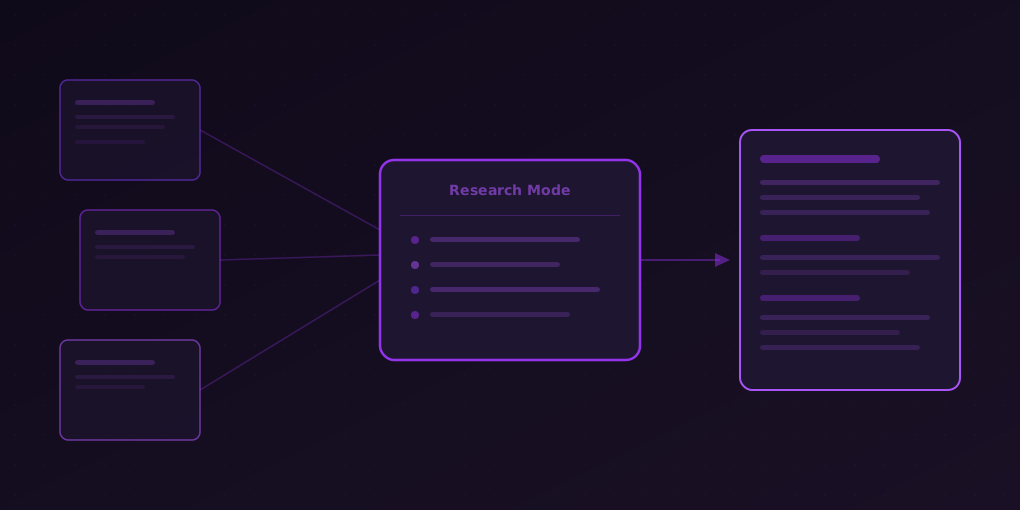
Once you have gathered your initial sources, the next challenge is organization. This is where Research Mode transforms the process.
Step 4: Create Focused Research Projects
A research project in 5MinRead is more than a folder. It is a semantic container that the AI uses to understand the context of your research. When you name a project “Impact of GLP-1 drugs on cardiovascular outcomes” instead of just “GLP-1 research,” you are giving the AI a lens through which to analyze every source you add.
Create separate projects for separate questions. If your research spans multiple sub-topics, use multiple projects. This keeps the AI’s analysis focused and your own thinking organized.
Step 5: Add Sources Systematically
As you browse, add relevant sources to your project with a single click. Each source is automatically summarized and indexed. You can add:
- Web articles and blog posts
- Academic papers and research reports
- PDF documents
- YouTube videos (via transcript analysis)
- Product documentation and technical specs
Aim for five to ten sources per project. Fewer than three limits the AI’s ability to find meaningful patterns. More than ten starts to dilute the focus — consider splitting into sub-projects at that point.
Step 6: Annotate and Comment
As you add sources, attach your own comments and observations. These annotations become part of the project’s knowledge base. When the AI later synthesizes your sources, it takes your comments into account, weighting its analysis toward the aspects you have flagged as important.
This is where human judgment and AI capability complement each other perfectly. You provide direction and context. The AI provides comprehensive coverage and pattern recognition.
Phase 3: AI-Powered Analysis
This is where the workflow diverges most dramatically from traditional research. Instead of manually comparing sources and building your synthesis from scratch, you use AI to accelerate the analytical phase.
Step 7: Generate a Synthesis
Hit the Synthesize button and the AI reads all your sources together — not sequentially, but in parallel, the way a panel of expert reviewers would. The resulting synthesis:
- Identifies common themes that appear across multiple sources
- Highlights consensus: where sources agree on facts, interpretations, or recommendations
- Flags contradictions: where sources present conflicting data or reach different conclusions
- Surfaces unique insights: important points that only appear in one source but are significant enough to warrant attention
This synthesis is not a summary of summaries. It is a genuine analytical document that connects ideas across sources and presents a unified picture of the topic.
Step 8: Investigate Contradictions
Contradictions are where the most valuable insights hide. When two credible sources disagree, there is usually a reason — different methodologies, different time periods, different definitions of key terms, or genuinely unresolved questions in the field.
Research Mode’s contradiction detection surfaces these disagreements explicitly, showing you exactly which sources disagree and on what points. This saves you from the common research mistake of picking whichever conclusion you encountered last and treating it as settled.
Step 9: Extract Key Findings
The key findings feature distills your entire project into the most important discoveries — the facts, data points, and conclusions that would survive the most aggressive editorial cut. These are the findings you would lead with in a presentation, put in an executive summary, or cite in your own writing.
Step 10: Chat With Your Research
Research Mode includes a conversational interface that lets you ask questions across all your sources simultaneously. Instead of searching through individual articles, you can ask:
- “What do my sources say about the long-term effects?”
- “Which source has the most recent data on market size?”
- “Are there any methodological concerns I should be aware of?”
The AI answers based on the actual content of your sources, with references, so you can verify every claim.
Phase 4: From Research to Output
Research that stays in your notes is research wasted. The final phase is turning your structured knowledge into whatever output you need.
Step 11: Export and Transform
Use your synthesis, key findings, and contradictions as the foundation for your output. Because the AI has already done the work of connecting ideas across sources, you are not starting from scratch. You are editing and refining a coherent analytical document.
This is where the preset system shines again. Use presets like:
- Meeting Minutes: Convert research findings into a structured briefing document
- Investment Brief: Format findings for financial decision-making
- Study Guide: Transform research into educational material
- Social Thread: Distill key points for sharing on social platforms
Step 12: Iterate and Expand
Research is rarely done in one pass. As you work on your output, you will discover gaps — questions your sources do not answer, data points you need to verify, perspectives you have not considered.
Go back to Phase 1. Find additional sources. Add them to your project. Regenerate the synthesis. The AI will incorporate the new information into the existing analysis, updating its conclusions and surfacing any new contradictions or patterns.
This iterative cycle — gather, organize, analyze, output, identify gaps, repeat — is how expert researchers have always worked. AI just makes each cycle faster.
Workflow Templates for Common Research Scenarios
Academic Research
Goal: Literature review for a paper or thesis.
- Create a project named after your specific research question
- Add seminal papers first (the ones every other paper cites)
- Use the Academic preset for summarization
- Add newer papers that build on or challenge the seminal work
- Generate synthesis to identify the current state of the field
- Use contradiction detection to find open questions and debates
- Chat with your research to explore specific angles
- Use the synthesis as the foundation for your literature review section
Pro tip: Name your project as a question (“Does spaced repetition improve long-term retention in medical education?”) rather than a topic (“Spaced repetition”). This gives the AI a specific analytical frame.
Market Research
Goal: Understand a market opportunity or customer segment.
- Create a project focused on a specific market question
- Add industry reports, analyst articles, and competitor press releases
- Use the Quick Summary preset for rapid source screening
- Add customer interviews, survey results, or review analyses
- Generate synthesis to identify market trends and customer needs
- Use key findings to extract the data points that matter for your business case
- Check contradictions to understand where market data conflicts
- Export findings using the Investment Brief preset
Pro tip: Add sources from both optimistic and pessimistic analysts. The contradiction detection will help you understand the full range of scenarios rather than anchoring to one narrative.
Competitive Analysis
Goal: Understand competitor positioning, strengths, and weaknesses.
- Create a project per competitor or for a competitive landscape overview
- Add competitor websites, product pages, pricing pages, and press releases
- Add third-party reviews, analyst reports, and customer forums
- Use the Pros & Cons preset to structure your analysis
- Generate synthesis to see the competitive landscape as a whole
- Use contradiction detection to find gaps between competitor claims and third-party assessments
- Chat with your research: “Where is Competitor X weakest?” or “What do customers complain about most?”
- Export using the Compare & Contrast preset
Pro tip: Add your own company’s materials as a source too. The synthesis will show how you fit into the competitive landscape, not just how competitors relate to each other.
Journalism Research
Goal: Background research for an article or investigative piece.
- Create a project named after your story angle
- Add primary sources first — official documents, statements, data releases
- Add secondary reporting from other outlets
- Use the Critical Review preset to assess source reliability
- Generate synthesis to see the story’s full picture
- Use contradiction detection aggressively — contradictions between official statements and independent reporting are where stories live
- Chat with your research to explore leads: “What timeline do the sources suggest?” or “Which claims are unsupported?”
- Use key findings as the factual backbone of your article
Pro tip: Pay special attention to what the synthesis does NOT find. Gaps in the available information — questions that none of your sources answer — can be more newsworthy than the answers.
Best Practices for AI-Powered Research
1. Be Specific With Project Names
Generic project names produce generic analysis. “Climate change” will give you a shallow overview. “Impact of ocean acidification on Pacific coral reef systems 2020-2026” will give you targeted, useful synthesis.
2. Diversify Your Sources
AI synthesis is only as good as the sources you feed it. If all your sources come from the same perspective, the synthesis will reflect that perspective. Deliberately include sources that disagree with each other. The contradiction detection feature is most valuable when there are actual contradictions to detect.
3. Read the Contradictions First
When you get a synthesis, resist the urge to start with the consensus section. Start with the contradictions. These are the points where your research can add the most value, because they represent genuinely unresolved questions.
4. Use Comments Strategically
Your annotations on sources are not just for your memory. They shape the AI’s analysis. If you notice something important that might not be obvious from the text alone — context about the author’s bias, the time period of the data, the methodology used — add it as a comment. The synthesis will be better for it.
5. Iterate Rather Than Accumulate
Do not try to find every source before you start analyzing. Add three or four sources, generate a synthesis, identify what is missing, then go find sources that fill those gaps. This iterative approach produces better results than exhaustive upfront gathering because each iteration refines your understanding of what you actually need.
6. Match Presets to Purpose
The preset you choose affects what information you extract from each source. Use Academic for scholarly work, Quick Summary for screening, Critical Review for sources you need to evaluate, and Takeaways for practice-oriented research. Switching presets for different sources in the same project is not just acceptable — it is recommended.
7. Trust But Verify
AI synthesis is a powerful accelerator, but it is not infallible. When the synthesis makes a specific factual claim, verify it against the original source. The chat feature makes this easy — ask “Where does this claim come from?” and the AI will point you to the specific source.
The Bigger Picture
The shift from traditional to AI-powered research is not about replacing human judgment. It is about removing the bottlenecks that prevent human judgment from operating effectively.
When you spend two hours just trying to remember which article said what, you are not exercising judgment. You are fighting your own biology. When you give up on comparing sources because you simply cannot hold that many viewpoints in your head simultaneously, you are not being lazy. You are hitting a genuine cognitive limit.
AI-powered research workflows remove these bottlenecks. They handle the tracking, the comparing, the pattern-matching — all the tasks where computers are genuinely better than humans. This frees you to do what humans are genuinely better at: asking the right questions, applying contextual knowledge, exercising critical judgment, and creating original insight.
The result is not just faster research. It is better research. More thorough, more balanced, more likely to surface the non-obvious insight that changes your understanding.
Getting Started
If you are new to AI-powered research, start small. Pick a topic you are currently researching — something you already have a few sources for. Create a project in 5MinRead’s Research Mode, add those sources, and generate a synthesis. Compare the AI’s analysis to your own understanding of the topic.
Most people find that the synthesis surfaces at least one connection or contradiction they had not noticed. That moment — when the AI shows you something genuinely useful that you missed — is when the workflow clicks.
From there, build the habit. Every time you research anything with more than three sources, use the full workflow: gather with smart summarization, organize with Research Mode, analyze with synthesis and contradiction detection, and output with targeted presets.
Your twenty-seven tabs will thank you.